LO2 coherently present a body of work, making creative presentation decisions that complement your subject and/or your artistic strategies.
Process of revising images & creating complimentary presentation for final SYP output – Photobook
I had a clear concept in mind- A woodland community as a model for inclusive harmonious behaviour. Through my various stages of editing my Body of Work images for each photograph, I asked ‘how does this relate to my concept?
Part 1: Transforming BOW images into a coherent series of images
(See final Pdfs book proofs sent to printer at bottom of post)
I began by editing my BOW images for SYP. I asked my peers for their input as well. Peer critique session 24.2.24
Brief for peers and their comments:

Editing board shared with peers:
Outcomes: They suggested I exchange 2 images for those with extra dimensions of woodland for context. I asked their thoughts about the ‘signposting’ in the work & consensus was that it was the right level. They thought my reworked ‘footnote’ images didn’t need any changes. They are now more consistent than before (lighting/perspective). I fed their review ideas into my next editing decisions:
Bow images chosen after editing for SYP:
I revisited the ‘footnote images to try the definitions off of the borders of the footnotes:

Part 2: Presenting the body of work images with complimentary text and book design
Following this and photobook research I revised the sequencing for the book layout. I wanted a rhythm and a tempo, with quieter images punctuating the ‘louder’ images; a sequence for my narrative.
A mock up of book sizes drove my choice of book size: 260mm x 210mm to echo my 5:4 images, and to accommodate the size of the ‘footnote’ images (2 a page).

From here I created and revised book dummies (using Blurb self publisher only to produce PDF review purposes).
Book dummy version 1:
Resulting changes:
- Moved poem to the back of the book.
- Changed black text on green background to off white
- Lined couplet start points up
- Took borders off of images and put text in wrapped text beside them to place vertically
- Changed ‘footnote’ label to constituents.
- Changed section break background colour to green
Book Dummy version 2
Changes for Book Dummy 3:
- Title in bold
- Changed font
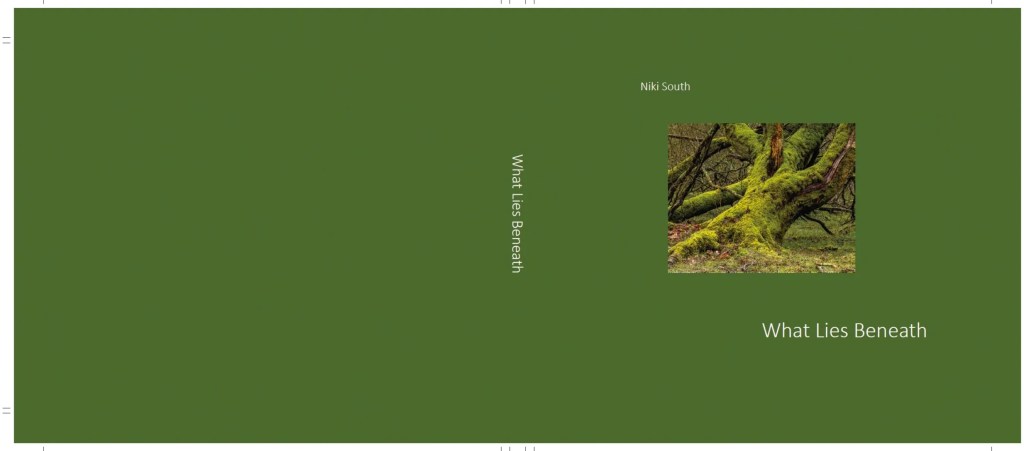
- Changed position of text on cover
Book Dummy version 3
I shared this version with my tutor, and asked:
- Should I have an image on the front cover? A. Can leave without
- Are font sizes correct? Advised to keep font as small as readable, will look professional. Great tip & enabled me to reduce the font size of some of the text- done
- Can I mix fonts headings/subheadings/text? -Took advice to use the same throughout
Also discussed & made some of these revisions in my final book CRS Padlet output 1:
- make cover margin at bottom larger than top & move text in a little- Done
- Realign text and try Futura font. I realigned but decided against futura font, I don’t like the’?’ & have alot of them.
- Chose Calibri light as (similar to futura), Tutor recommended light
- Do I need the Introduction heading? Check other’s books – Done I changed the heading from ‘introduction’ to ‘Preface’
- Use thirds to place on page, imagine a 3×3 grid on a page and position elements in the centre box then move a bit upwards eg. p11 -done
- Make page margins smaller- and text wider -done
- Page 11 couplets move text lower to 1/3s -done
- Is subheading, ‘constituents’ too political/formal? – I changed to ‘residents’
- Footnotes: consider realigning – done
- Think about how the book will look when pages turn, ensure that all text has the same bottom margin -done
- Justify to the left, not ‘blocking – done
- leave more space at bottom of page than top, like a polaroid photo -done
- Make text 85% black only. This doesn’t conflict with the black in the images and makes the images ‘pop’. I adjusted to 88% black as advised by the printer – done
I revised the previous 3rd draft as above using affinity software with my chosen publisher Exwhyzed.
Final book PDFs:
The revisions I made with creative/artistic choices using feedback and personal reflection took many hours but resulted in a book which complemented the images, set off the narrative of the project and enabled my final outcomes.
 NIKI SOUTH